Give agents room to work
Select repositories, choose a branch, and send a prompt. Each task works on its own repository copies in a Docker or Podman container.
Create your first task → caiccoding agents in containers
A workspace for parallel thinking
Give each coding task its own container. Run agents side by side, follow their work, and review the changes from one place.
Open source. Self hosted. Linux, macOS, and WSL2.
Keep the work moving
Claude Code, Codex, OpenCode, Pi, and experimental Antigravity support. Pick the harness and model for each task.
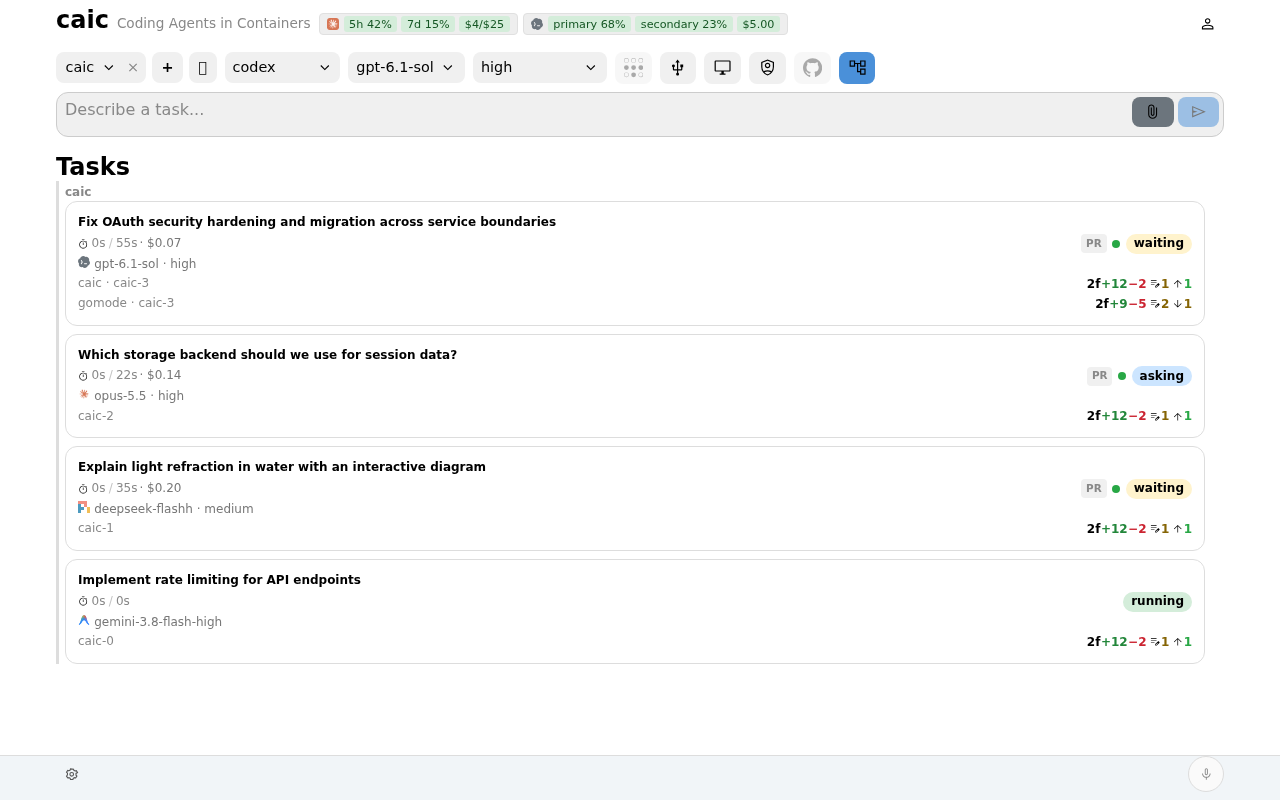
Select repositories, choose a branch, and send a prompt. Each task works on its own repository copies in a Docker or Podman container.
Create your first task →Read tool output, answer questions, approve plans, and follow delegated agent activity. Move between tasks without losing the conversation.
Work with your agents →Inspect commits and file diffs, then push a branch or squash changes to the default branch. Follow pull requests and CI on GitHub or GitLab.
Review the result →The details are there
Follow an agent’s reasoning and tool calls. Open a repository’s changes, read generated files, and check usage and resource history when you need a closer look.
Tour the task view →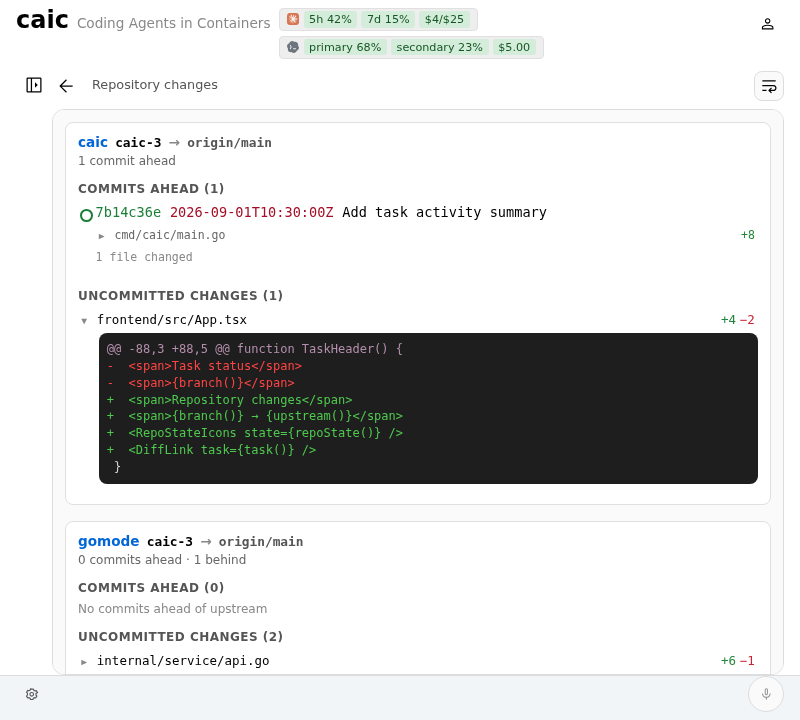
Stay in control
Agents keep running across server restarts and connection drops. Revive a retained workspace or fork with a handoff to another harness when a task needs a fresh start.
Continue the work →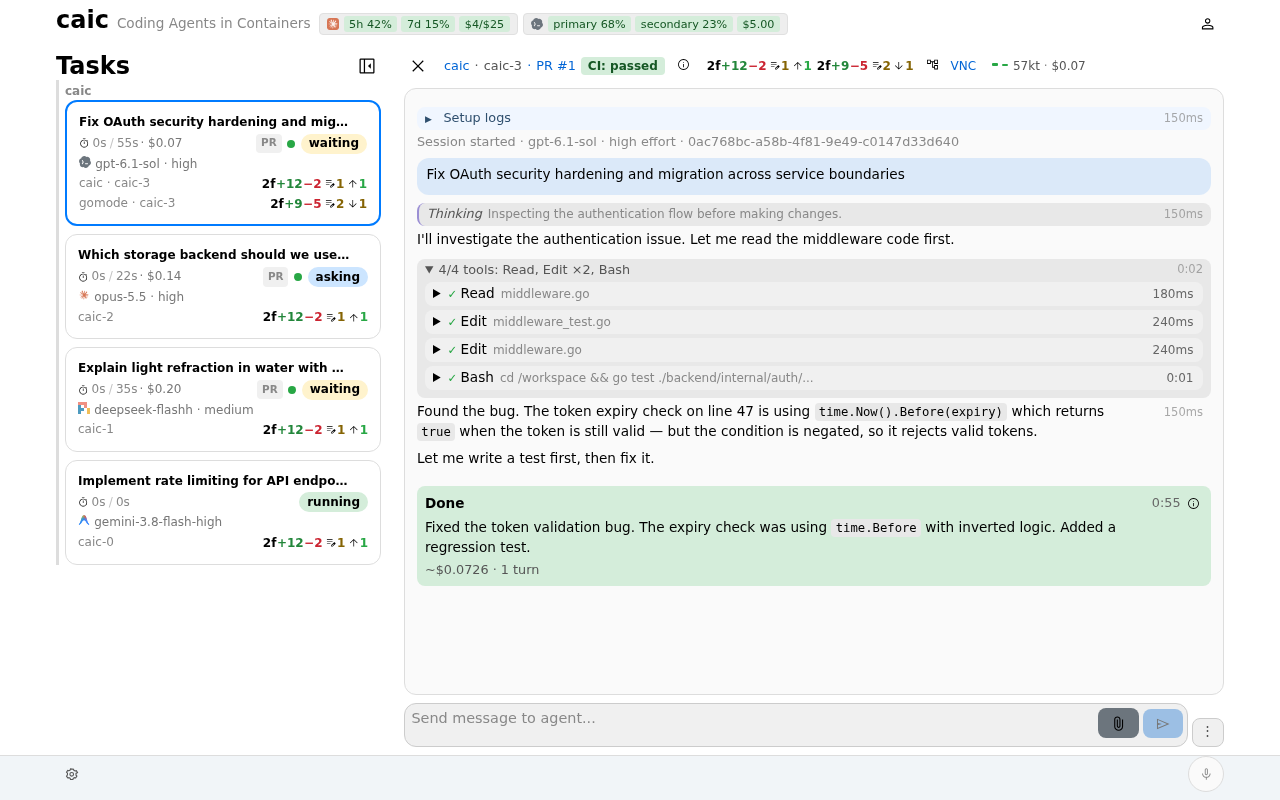
One useful stack
The server and web app for your coding tasks. Use a desktop or mobile browser, with optional voice control and MCP access.
Read the caic docs →The container toolkit underneath. Run an agent directly from the terminal, with branch workspaces, reusable caches, and development tools.
Meet md →A separate Android shell for backend-hosted apps. Connect it to caic for native voice, notifications, and device integrations.
Explore Go Mode →Repository copies stay separate. Harness configuration, caches, and host mounts can be shared. Understand the security boundaries →
Make it yours
Install Docker or Podman, then install caic and md. Set your repository root and open the dashboard.
curl -fsSL https://caic.xyz/install.sh | bash
The installer adds the binaries and a user service. Review the script and prerequisites in the installation guide.
Installation guide →